How to Choose an eSIM for International Travel
There is no single best travel eSIM. What matters is whether your phone supports one, how much data you need, and what you give up with a data-only plan.
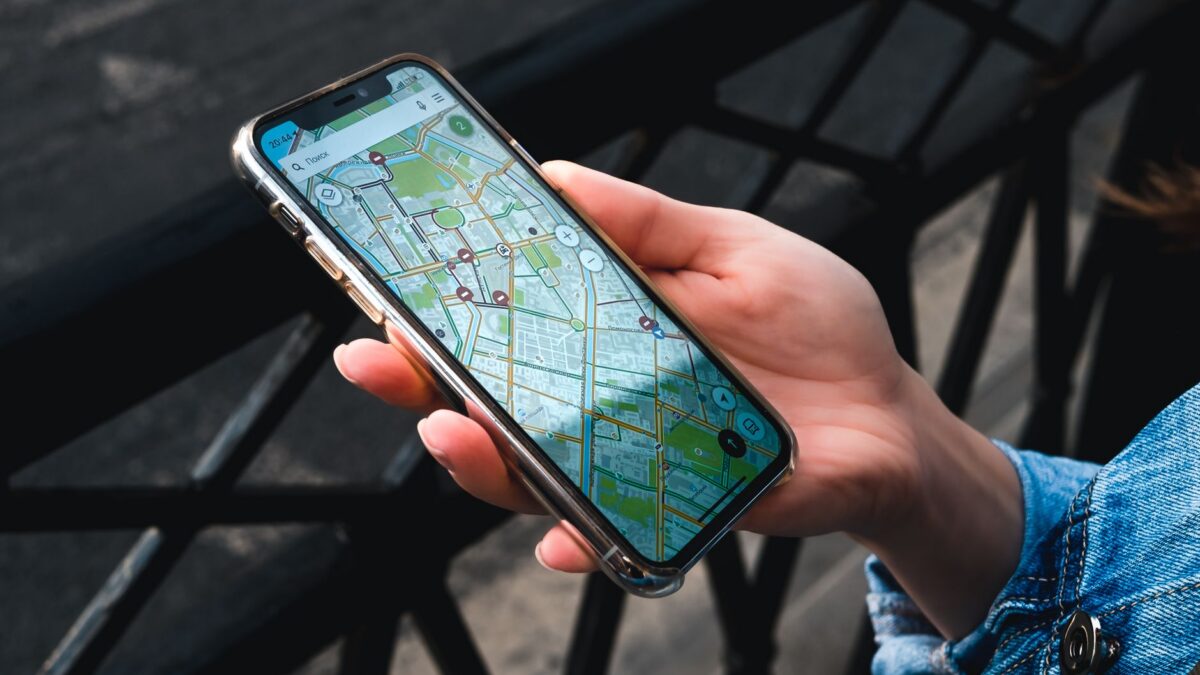
There is no single best eSIM for every traveler; the right choice depends on your phone, destination and data needs. A travel eSIM is a digital SIM profile you download to add a local or regional data plan without swapping a physical card. It can cost much less than your carrier’s roaming, but only if your phone supports eSIM and is unlocked. Most travel eSIMs are data-only, so you keep calls and texts on your home number or switch to internet-based calling.
This guide does not recommend or link to any provider. Compare offers yourself, and check official travel advice for your destination before you go.
How a travel eSIM works
An eSIM is a chip built into many recent phones that can store one or more mobile plans. Instead of inserting a plastic SIM card, you install a plan by scanning a QR code or through an app. Many phones can hold several eSIM profiles and use two lines at once.
A typical setup for travel:
- Buy a data plan for your destination or region from an eSIM seller or a local carrier.
- Install the eSIM before you leave, while you have reliable Wi-Fi. Keep it switched off until you arrive.
- On arrival, set the travel eSIM as your mobile data line and turn on data roaming for that line if the provider instructs you to.
- Keep your home line active for calls and texts if you need it, but turn off data roaming on it to avoid charges.
Step one: check your phone
Does it support eSIM?
Most recent flagship and many mid-range phones support eSIM, but not all models or regional versions do. Check your phone’s settings (look for an option to add an eSIM or mobile plan) or the manufacturer’s specifications.
Is it unlocked?
A carrier-locked phone will only work with that carrier’s service, so a third-party eSIM will not connect. Phones bought outright are often unlocked, while phones on installment plans may be locked until paid off or for a set period. Ask your carrier to confirm and, if eligible, to unlock it well before your trip. Unlocking policies are set by carriers and regulators and can differ between providers.
Is it compatible with local networks?
Your phone needs to support the frequency bands used in your destination. This is rarely an issue with recent phones in major destinations, but it can matter for older models or more remote regions.
Data-only caveats
Most travel eSIMs provide data but no local phone number. That has practical effects:
- You cannot receive normal calls or SMS on the eSIM line. Banking verification codes sent by text still go to your home number, which may incur roaming charges or not arrive if that line is off.
- Emergency calls usually still work on a phone with any network connection, but do not rely on a data-only plan as your only way to reach help. Know the local emergency number.
- Some services, such as local ride-hailing or delivery apps, may require a local phone number to sign up.
- Calling apps work over data, but call quality depends on the connection.
If you need a local number, a local carrier’s prepaid SIM or eSIM with voice and SMS is the alternative. Some countries require identity registration, often with your passport, to activate such plans.
How to compare plans
| Factor | Questions to ask |
|---|---|
| Coverage | Which countries are included? Which local networks does it use? |
| Data amount | How many gigabytes, and what happens when you run out? Is “unlimited” slowed after a threshold? |
| Validity | Does the clock start when you install or when you first connect? |
| Speed | Is 5G included, or limited to 4G/LTE? |
| Hotspot | Can you share data with a laptop or tablet? |
| Top-ups | Can you add data easily without reinstalling? |
| Refunds and support | Is there a refund if it fails to connect? How do you reach support? |
| Price per GB | Compare the effective cost, not just the headline price |
Also compare with your home carrier’s international plan. Day passes or included roaming can be simpler for short trips, particularly if you need your usual number for calls.
Estimating how much data you need
Usage depends on habits, but maps, messaging and occasional browsing use relatively little data, while video streaming, video calls and uploading photos use much more. Download offline maps, playlists and translation packs on Wi-Fi before you leave. Turn off automatic app updates and cloud photo backup over mobile data during the trip.
Security and practical tips
- Buy only from sellers that clearly explain refunds, data limits and network partners.
- Do not share your eSIM QR code publicly; it can only be installed a limited number of times.
- Write down how to switch your data line back to your home SIM before you return.
- Avoid sensitive transactions on public Wi-Fi; mobile data is generally preferable.
- Keep a small amount of local currency and a backup payment card in case your phone fails. See our guide to using credit cards abroad.
For trip planning more broadly, our Europe travel checklist lists the documents and practical items to sort before departure. U.S. citizens can also enroll in the State Department’s Smart Traveler Enrollment Program to receive safety alerts, which arrive by email and work over any data connection.
Bottom line
A travel eSIM is usually the cheapest way to get mobile data abroad, as long as your phone supports eSIM and is unlocked. Check those two points first, then compare coverage, data allowance, validity and refunds. Remember that most travel eSIMs are data-only, so plan how you will receive verification texts and calls. No eSIM is best for everyone; choose based on your own trip.
FAQ
Can I keep my U.S. number while using a travel eSIM?
Yes, on phones that support two lines. Keep your home line active for calls and texts and use the travel eSIM for data, with data roaming off on your home line.
Will a travel eSIM work on a locked phone?
Generally no. A carrier-locked phone only works with that carrier. Ask your carrier about unlocking before you travel.
Should I install the eSIM before leaving?
Yes, installing on reliable Wi-Fi at home is usually easier. Check whether the plan’s validity starts at installation or at first connection.
Can I make emergency calls with a data-only eSIM?
Phones can usually place emergency calls on available networks, but do not count on a data-only plan as your only emergency option. Learn the local emergency number before you go.